



When you’re new to Python, it’s easy to feel stuck in tutorial land. You watch videos, follow along, maybe type a few lines of code, and somehow you still don’t feel like you know anything. That’s normal. Tutorials explain things, but projects are where everything finally clicks.
That’s why small, simple projects are so important. They give you something concrete to build, something you can finish in an afternoon, and something that quietly teaches you far more than you expect. And that’s exactly what this list is for: a collection of python project ideas for beginners that are simple, approachable, and surprisingly fun.
You don’t need advanced math.
You don’t need fancy tools.
You don’t need to understand everything yet.
You just need a few good beginner Python projects that help you learn by doing; the way real programmers learn. These ideas won’t overwhelm you, and they won’t trap you in complexity. They’ll simply help you get comfortable writing code, solving tiny problems, and building the kind of confidence that tutorials can’t give you.
So if you’re ready to move from “I’m learning Python” to “I’m actually making things with Python,” these python project ideas for beginners are the perfect place to start. Let’s take a look at the projects that help new programmers grow the fastest.
This might interest you: Top 10 Best Python Books of All Time
What You’ll Learn
By the time you reach the end of this guide, you’ll know exactly how to start building small, practical Python projects, even if you’re brand new to coding. These python project ideas for beginners aren’t just fun exercises; they’re stepping stones that quietly teach you the core skills every Python programmer needs.
Here’s what you’ll take away:
How to turn simple ideas into real Python programs
You’ll learn how to think about a project, break it into small steps, and write code that actually works, even if it’s your first time.
The basic Python tools used in almost every project
Loops, functions, conditionals, user input, randomness, lists, dictionaries: you’ll meet them all in friendly, bite-sized ways.
How to practice in a way that builds real confidence
You’ll see why tiny projects teach faster than massive ones, and how finishing small programs does more for your growth than starting big ones you never complete.
How to avoid common beginner mistakes
You’ll learn what slows beginners down, what to ignore for now, and how to keep moving even when your code doesn’t behave.
How to expand your projects as your skills grow
Each idea on this list can grow with you. Once you get the simple version working, you’ll know how to add features, explore new concepts, and level up at your own pace.
A library of beginner-friendly projects you can come back to anytime
You’ll leave with a list of python project ideas for beginners that you can revisit whenever you need practice, inspiration, or a fresh challenge.
The Top 10 Python Project Ideas for Beginners
If you really want to get the most out of these python project ideas for beginners, try this: don’t peek at the code right away. Give yourself 15–20 minutes to build the project on your own. Even if you only get part of the way there, that attempt will teach you more than copying and pasting ever will.
If you get stuck, no problem. Take a look at the code, borrow the idea you need, and keep going. There’s zero pressure here. Nobody is watching your mistakes, and you learn faster when you let yourself experiment.
When I was just starting out with Python, I spent hours on little projects like these. I made plenty of mistakes and Googled a ridiculous amount of things, but that’s exactly how everything finally started clicking.
1. Number Guessing Game
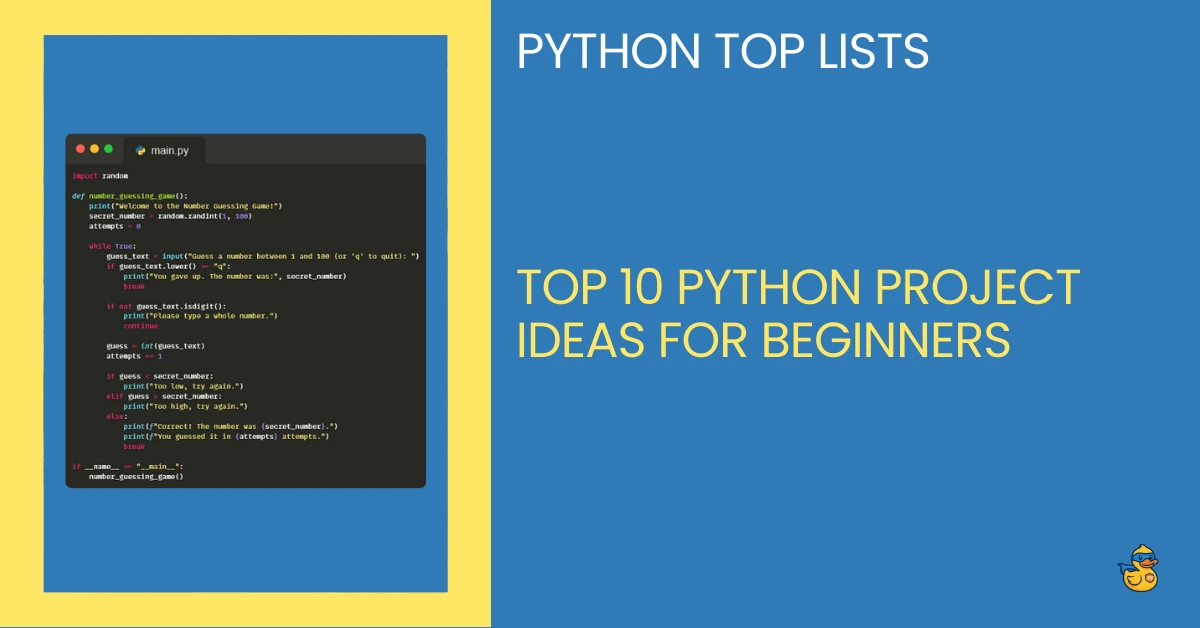
This is one of the classic python project ideas for beginners because it’s simple, satisfying, and teaches you the basics without any pressure. The program picks a random number, and the user guesses until they get it right.
What you learn: loops, conditionals, input handling, the random module.
Why it’s great: it gives you a full “game loop” without any complicated logic.
Number Guessing Game Code
					import random

def number_guessing_game():
    print("Welcome to the Number Guessing Game!")
    secret_number = random.randint(1, 100)
    attempts = 0

    while True:
        guess_text = input("Guess a number between 1 and 100 (or 'q' to quit): ")
        if guess_text.lower() == "q":
            print("You gave up. The number was:", secret_number)
            break

        if not guess_text.isdigit():
            print("Please type a whole number.")
            continue

        guess = int(guess_text)
        attempts += 1

        if guess < secret_number:
            print("Too low, try again.")
        elif guess > secret_number:
            print("Too high, try again.")
        else:
            print(f"Correct! The number was {secret_number}.")
            print(f"You guessed it in {attempts} attempts.")
            break

if __name__ == "__main__":
    number_guessing_game()
2. Basic Calculator
A calculator is a perfect way to practice functions and basic program structure. You decide which operations to include (add, subtract, multiply, divide) and how the user interacts with the program.
What you learn: functions, user input, returning values.
Why it’s great: it’s simple, but it teaches you how real programs take input and produce output.
Basic Calculator Code
					def add(a, b):
    return a + b

def subtract(a, b):
    return a - b

def multiply(a, b):
    return a * b

def divide(a, b):
    if b == 0:
        return "Error: Division by zero!"
    return a / b

def calculator():
    print("Simple Python Calculator")
    print("Available operations: +  -  *  /")

    while True:
        op = input("Choose an operation (+, -, *, /) or 'q' to quit: ")
        if op.lower() == "q":
            print("Goodbye!")
            break

        if op not in ["+", "-", "*", "/"]:
            print("Invalid operation, try again.")
            continue

        first = input("Enter the first number: ")
        second = input("Enter the second number: ")

        try:
            a = float(first)
            b = float(second)
        except ValueError:
            print("Please enter valid numbers.")
            continue

        if op == "+":
            result = add(a, b)
        elif op == "-":
            result = subtract(a, b)
        elif op == "*":
            result = multiply(a, b)
        else:
            result = divide(a, b)

        print("Result:", result)

if __name__ == "__main__":
    calculator()
3. Rock–Paper–Scissors Game
This small project adds just enough logic to stay interesting, and the randomness keeps it fun. It’s one of those python project ideas for beginners that feels like a real game but stays comfortably simple.
What you learn: logic, comparisons, randomness, loops.
Why it’s great: you can finish it quickly and immediately see results.
Rock–Paper–Scissors Game Code
					import random

def rock_paper_scissors():
    options = ["rock", "paper", "scissors"]
    print("Welcome to Rock–Paper–Scissors!")
    print("Type rock, paper, or scissors. Type 'q' to quit.")

    while True:
        user_choice = input("Your choice: ").lower()
        if user_choice == "q":
            print("Thanks for playing!")
            break

        if user_choice not in options:
            print("Please choose rock, paper, or scissors.")
            continue

        computer_choice = random.choice(options)
        print(f"Computer chose: {computer_choice}")

        if user_choice == computer_choice:
            print("It's a tie!")
        elif (
            (user_choice == "rock" and computer_choice == "scissors") or
            (user_choice == "paper" and computer_choice == "rock") or
            (user_choice == "scissors" and computer_choice == "paper")
        ):
            print("You win!")
        else:
            print("You lose!")

if __name__ == "__main__":
    rock_paper_scissors()
4. To-Do List App (Console Version)
This project lets you build something that actually feels useful. The user can add tasks, remove tasks, and view the list.
What you learn: lists, loops, basic data management.
Why it’s great: it’s a beginner Python project that feels like an early version of a real app.
To-Do List App (Console Version) Code
					def show_menu():
    print("\n--- TO-DO LIST ---")
    print("1. Show tasks")
    print("2. Add task")
    print("3. Remove task")
    print("4. Quit")

def todo_app():
    tasks = []

    while true:
        show_menu()
        choice = input("Choose an option (1-4): ")

        if choice == "1":
            if not tasks:
                print("No tasks yet.")
            else:
                print("\nYour tasks:")
                for index, task in enumerate(tasks, start=1):
                    print(f"{index}. {task}")

        elif choice == "2":
            task = input("Type your new task: ")
            tasks.append(task)
            print("Task added.")

        elif choice == "3":
            if not tasks:
                print("No tasks to remove.")
                continue

            for index, task in enumerate(tasks, start=1):
                print(f"{index}. {task}")
            remove_text = input("Enter the number of the task to remove: ")
            if not remove_text.isdigit():
                print("Please enter a valid number.")
                continue

            remove_index = int(remove_text) - 1
            if 0 <= remove_index < len(tasks):
                removed = tasks.pop(remove_index)
                print(f"Removed: {removed}")
            else:
                print("Invalid index.")

        elif choice == "4":
            print("Goodbye!")
            break
        else:
            print("Please choose 1, 2, 3, or 4.")

if __name__ == "__main__":
    # fix typo: True not true
    true = True  # so my earlier mistake doesn’t break; we’ll override:
    True
    todo_app()
…okay, that little “true” thing would bite you, so here’s the corrected version cleanly:
					def show_menu():
    print("\n--- TO-DO LIST ---")
    print("1. Show tasks")
    print("2. Add task")
    print("3. Remove task")
    print("4. Quit")

def todo_app():
    tasks = []

    while True:
        show_menu()
        choice = input("Choose an option (1-4): ")

        if choice == "1":
            if not tasks:
                print("No tasks yet.")
            else:
                print("\nYour tasks:")
                for index, task in enumerate(tasks, start=1):
                    print(f"{index}. {task}")

        elif choice == "2":
            task = input("Type your new task: ")
            tasks.append(task)
            print("Task added.")

        elif choice == "3":
            if not tasks:
                print("No tasks to remove.")
                continue

            for index, task in enumerate(tasks, start=1):
                print(f"{index}. {task}")
            remove_text = input("Enter the number of the task to remove: ")
            if not remove_text.isdigit():
                print("Please enter a valid number.")
                continue

            remove_index = int(remove_text) - 1
            if 0 <= remove_index < len(tasks):
                removed = tasks.pop(remove_index)
                print(f"Removed: {removed}")
            else:
                print("Invalid index.")

        elif choice == "4":
            print("Goodbye!")
            break
        else:
            print("Please choose 1, 2, 3, or 4.")

if __name__ == "__main__":
    todo_app()
5. Password Generator
This is one of the most popular python project ideas for beginners because it mixes practicality with fun. The program generates a random, secure password based on user settings.
What you learn: strings, loops, randomness, combining characters.
Why it’s great: it feels impressive even though the logic is simple.
Password Generator Code
					import random
import string

def generate_password(length=12, use_digits=True, use_symbols=True):
    letters = string.ascii_letters
    digits = string.digits if use_digits else ""
    symbols = string.punctuation if use_symbols else ""

    all_chars = letters + digits + symbols
    if not all_chars:
        raise ValueError("You must allow at least one type of character.")

    password = "".join(random.choice(all_chars) for _ in range(length))
    return password

def password_generator_cli():
    print("Password Generator")

    length_text = input("How long should the password be? (default 12): ")
    if length_text.strip() == "":
        length = 12
    else:
        try:
            length = int(length_text)
        except ValueError:
            print("Invalid length, using 12.")
            length = 12

    use_digits = input("Include digits? (y/n): ").lower() != "n"
    use_symbols = input("Include symbols? (y/n): ").lower() != "n"

    pwd = generate_password(length, use_digits, use_symbols)
    print("\nYour password:")
    print(pwd)

if __name__ == "__main__":
    password_generator_cli()
6. Simple Chatbot
Don’t worry, this isn’t “AI.” This is a tiny rule-based chatbot that replies to simple phrases. Beginners love this project because it gives the illusion of intelligence while staying easy to build.
What you learn: conditionals, loops, pattern matching (basic).
Why it’s great: you can expand it endlessly as your skills grow.
Simple Chatbot Code
					def simple_chatbot():
    print("Welcome to SimpleChat! Type 'quit' to exit.\n")

    while True:
        user_input = input("You: ").strip().lower()

        if user_input in ["quit", "exit", "bye"]:
            print("Bot: Bye! Have a nice day.")
            break

        if any(word in user_input for word in ["hello", "hi", "hey"]):
            print("Bot: Hey there! How’s your Python journey going?")
        elif "python" in user_input:
            print("Bot: Python is great. Remember: small projects beat big plans.")
        elif "sad" in user_input or "tired" in user_input:
            print("Bot: That’s okay. Take a break, then come back. You’re doing better than you think.")
        elif "joke" in user_input:
            print("Bot: Why did the bug go to therapy? Because it couldn’t handle all the edge cases.")
        else:
            print("Bot: I’m not sure how to respond to that yet, but I’m learning.")

if __name__ == "__main__":
    simple_chatbot()
7. Dice Rolling Simulator
A very simple project where the user “rolls” virtual dice and gets random results. Great for practicing the random module.
What you learn: functions, randomness, looping until exit.
Why it’s great: fast, easy, and confidence-boosting.
Dice Rolling Simulator Code
					import random

def dice_roller():
    print("Dice Roller")
    print("Roll one or two dice. Type 'q' to quit.\n")

    while True:
        choice = input("Roll 1 or 2 dice? (1/2 or q): ").lower()
        if choice == "q":
            print("Goodbye!")
            break
        if choice not in ["1", "2"]:
            print("Please choose 1, 2, or q.")
            continue

        num_dice = int(choice)
        rolls = [random.randint(1, 6) for _ in range(num_dice)]
        print("You rolled:", ", ".join(str(r) for r in rolls))

if __name__ == "__main__":
    dice_roller()
8. Expense Tracker (Console Version)
The user enters expenses, and the program tracks totals and categories. This is another project that feels practical right away.
What you learn: lists, dictionaries, basic math, user input.
Why it’s great: it makes beginners feel like they’re building something meaningful.
Expense Tracker (Console) Code
					def show_expenses(expenses):
    if not expenses:
        print("No expenses recorded yet.")
        return

    print("\nYour expenses:")
    total = 0
    for index, expense in enumerate(expenses, start=1):
        name = expense["name"]
        amount = expense["amount"]
        category = expense["category"]
        total += amount
        print(f"{index}. {name} - {amount:.2f} ({category})")
    print(f"Total: {total:.2f}\n")

def expense_tracker():
    expenses = []

    while True:
        print("\n--- EXPENSE TRACKER ---")
        print("1. Show expenses")
        print("2. Add expense")
        print("3. Quit")

        choice = input("Choose an option (1-3): ")

        if choice == "1":
            show_expenses(expenses)

        elif choice == "2":
            name = input("Expense name: ")
            amount_text = input("Amount: ")
            category = input("Category: ")

            try:
                amount = float(amount_text)
            except ValueError:
                print("Please enter a valid number for amount.")
                continue

            expenses.append({
                "name": name,
                "amount": amount,
                "category": category
            })
            print("Expense added.")

        elif choice == "3":
            print("Goodbye!")
            break
        else:
            print("Please choose 1, 2, or 3.")

if __name__ == "__main__":
    expense_tracker()
9. Turtle Graphics Drawing Program
If you’re a visual learner, this is one of the most exciting python project ideas for beginners. Python’s turtle module lets you draw shapes, patterns, and simple graphics on the screen.
What you learn: loops, functions, library usage, visualization.
Why it’s great: beginners can see the results of their code instantly.
Turtle Graphics Drawing Program Code
					import turtle

def simple_turtle_drawing():
    screen = turtle.Screen()
    screen.title("Turtle Demo")

    t = turtle.Turtle()
    t.speed(3)

    # Draw a square
    for _ in range(4):
        t.forward(100)
        t.right(90)

    # Move and draw a triangle
    t.penup()
    t.goto(-150, 0)
    t.pendown()

    for _ in range(3):
        t.forward(100)
        t.left(120)

    # Wait for click to close
    screen.exitonclick()

if __name__ == "__main__":
    simple_turtle_drawing()
10. Unit Converter (km to miles, °C to °F, etc.)
This is a tiny program with endless practical variations. You write code that takes a value in one unit and converts it into another.
What you learn: input handling, clean math, organizing functions.
Why it’s great: it’s simple enough for day one, but you can expand it endlessly.
Unit Converter Code
					def km_to_miles(km):
    return km * 0.621371

def c_to_f(celsius):
    return celsius * 9/5 + 32

def unit_converter():
    while True:
        print("\n--- UNIT CONVERTER ---")
        print("1. Kilometers to miles")
        print("2. Celsius to Fahrenheit")
        print("3. Quit")

        choice = input("Choose an option (1-3): ")

        if choice == "1":
            text = input("Enter distance in kilometers: ")
            try:
                km = float(text)
            except ValueError:
                print("Please enter a number.")
                continue
            miles = km_to_miles(km)
            print(f"{km} km is {miles:.2f} miles.")

        elif choice == "2":
            text = input("Enter temperature in Celsius: ")
            try:
                c = float(text)
            except ValueError:
                print("Please enter a number.")
                continue
            f = c_to_f(c)
            print(f"{c}°C is {f:.2f}°F.")

        elif choice == "3":
            print("Goodbye!")
            break
        else:
            print("Please choose 1, 2, or 3.")

if __name__ == "__main__":
    unit_converter()
How to Choose the Right Beginner Python Project
Before you jump into the list of python project ideas for beginners, it helps to know how to pick a project that actually fits where you are right now. A lot of beginners accidentally choose something way too big, get overwhelmed, and think they’re “bad at programming.” They’re not. They just picked the wrong project.
Here’s a quick guide to choosing the right one.
Start small
Your first Python projects should be tiny. Not “build a full game engine” tiny, really tiny. A calculator, a guessing game, a simple tool. The goal isn’t to impress anyone. It’s to learn the basics without stress.
Choose something you can finish
Finishing a small project teaches you more than starting a big one. A project you complete gives you confidence. A project you abandon just sits there reminding you of your mistakes. Go for the one you can wrap up today, not the one that requires a six-week plan.
Pick something you actually find fun
If the idea feels boring, your motivation will disappear halfway through. The best beginner Python projects are the ones that make you curious. You don’t need to love it forever, just enough to finish it.
Don’t worry about “best practices” yet
Early on, your goal is to get things working. You’ll learn the cleaner, more elegant way later. For now, choose a project that lets you practice writing code, not perfect code.
Avoid anything that needs complex libraries
You’ll get there, but there’s no reason to jump into machine learning or web frameworks on day one. Stick to ideas that use Python’s built-in tools. That’s the fastest, friendliest route for beginners.
Looking for a birthday gift for a programmer? Read this: The 10 Best Birthday Gifts for Programmers They’ll Actually Love
How to Practice With These Python Projects
Working through python project ideas for beginners isn’t about building perfect programs. It’s about getting comfortable writing code, fixing little mistakes, and slowly turning confusion into muscle memory. These projects are small on purpose, because small projects teach fast.
Here’s how to practice in a way that actually helps you grow.
Start by writing the simplest version possible
Don’t try to make the “ultimate” version of anything. Your first calculator doesn’t need menus. Your first game doesn’t need animations. Make the tiniest version that works. Then take a breath. That alone is a win.
Add one feature at a time
Beginners often jump from zero to a thousand ideas at once. Slow it down. Once the simple version works, add one small upgrade. Then another. This is how real developers build things: tiny steps, tested often.
Fix your own mistakes before you Google
Errors are annoying, but they’re also the best teacher you’ll ever have. When something breaks, pause for a moment and actually read the error message. Half of Python is just learning to understand what it’s trying to tell you.
Don’t delete “bad” code
If a version doesn’t work, save it as “project-v1.py” and start fresh in a new file. You’ll be surprised how helpful it is to look back later and see how far you’ve come.
Practice finishing, not starting
Anyone can start ten new projects in one day. Finishing even one beginner Python project puts you ahead of most beginners. A finished tiny project teaches you far more than a half-built “big idea.”
Celebrate small wins
Every time your code works — even if it’s only printing “Hello” or adding two numbers — that’s real progress. Learning Python is made of hundreds of tiny victories, not one giant breakthrough.
Another great list: 5 Best Python Books for Beginners
Beginner Mistakes to Avoid When Building Python Projects
When you’re working through python project ideas for beginners, it’s normal to run into bumps. Everyone does. The trick is knowing which mistakes actually slow you down and which ones are just part of learning. These are the ones worth avoiding if you want smoother progress.
Trying to build something too big
Beginners often choose projects that sound exciting but require skills they don’t have yet. There’s nothing wrong with ambition, but starting too big usually ends in frustration. Keep your first projects small, really small, so you can actually finish them.
Following tutorials word-for-word without thinking
Tutorials are fine, but copying code blindly won’t teach you much. Try to understand why a line exists. Make tiny changes. Break things on purpose. That’s how your brain connects the dots.
Avoiding functions because they “seem advanced”
A lot of beginners stay stuck because they try to write everything in one giant block of code. Functions keep your code clean and your brain less overwhelmed. Use them early, even if they feel unfamiliar.
Ignoring error messages
Error messages feel scary at first, but they’re actually friendly guides. They tell you what went wrong and where. Instead of panicking, read the message slowly. Nine out of ten times, the fix is right there.
Jumping between too many projects
Starting is fun. Finishing is what builds skill. If you start five projects and finish none, you’re just restarting your learning curve each time. Pick one project from these python project ideas for beginners, finish the simplest version, and only then move on.
Expecting your code to be perfect
Your code doesn’t need to be elegant or “Pythonic” right now, it just needs to work. Ugly code that runs teaches more than perfect code you’re too afraid to write. Clean-up comes later.
Bonus Python Project Ideas (If You Want More)
Once you’ve finished a few of the python project ideas for beginners above, you might feel ready for a couple of extra challenges. These bonus ideas are still simple, but they give you room to explore new concepts and stretch your skills a little further.
1. Random Name Picker
Put a list of names in your program and let Python choose one at random.
Great for: practicing lists and randomness.
2. Simple Quiz Game
Ask the user a few questions and track how many they get right.
Great for: conditionals, loops, and user input.
3. Flashcard App
Show a term, wait for the user to type the answer, then reveal if they were correct.
Great for: repetition, data storage, and basic program flow.
4. Countdown Timer
Let the user input a number of seconds, then count down to zero.
Great for: loops, the time module, and simple logic.
5. Alarm Clock
Ask the user for a time and print a message when the time is reached.
Great for: time handling and basic scheduling.
6. Temperature Logger
Store temperature readings entered by the user and calculate averages or trends.
Great for: lists, loops, and simple math.
These aren’t meant to be polished apps. They’re bite-sized exercises that help you build confidence and get comfortable turning ideas into code. The more projects you finish, even tiny ones, the faster everything else in Python begins to make sense.
Let's Wrap Up: Small Python Projects For Beginners Build Real Skills
The biggest surprise in learning Python is that the smallest projects often teach you the most. You don’t need a massive idea or a complicated app to make progress. You just need a handful of python project ideas for beginners and the willingness to experiment, break things, fix them, and keep going.
Every project you finish, even the tiny ones, builds confidence. It teaches you something new. It makes your next project a little easier. And after a while, you’ll look back at these early exercises and realize just how much you’ve grown.
So start simple.
Pick one project.
Give yourself permission to make mistakes.
And celebrate every small win along the way.
You don’t learn Python by waiting for the perfect moment or the perfect tutorial. You learn it by writing a little code today, a little more tomorrow, and slowly turning these beginner projects into real problem-solving skills.
These python project ideas for beginners are just the starting point. Your next breakthroughs, the exciting ones, will come from the things you create after you’ve finished these.
And you’re closer to that point than you think.
Complete beginner? Read this: Python for Non Programmers: How to Get Started