



You’ve opened your editor, the cursor is blinking, and your brain has decided now is the perfect time to forget everything you’ve ever learned about Python. You know what the program should do, you just have no idea where to start.
That’s where pseudocode comes in.
Pseudocode is like sketching before painting: a way to map out what your code should think before you make it official with syntax. You write out your plan in plain language that looks a bit like code but reads like logic. It’s simple, flexible, and impossible to break.
The best part? You can’t get any errors while pseudocoding. You could write “loop through the thingy until it’s done,” and no interpreter will complain. That freedom lets you focus on the actual problem instead of missing colons or stray parentheses.
In this post, we’ll explore how pseudocode helps you plan before you code; why it works, how to write it, and how it quietly turns beginners into clear-thinking programmers.
Related: How to Google Like a Programmer
What Is Pseudocode (and Why It’s Not Fake Coding)
Let’s clear something up right away: pseudocode isn’t “pretend coding.” It’s thinking out loud in programmer language.
When you write pseudocode, you’re not worrying about commas, colons, or error messages. You’re describing what your program should do, step by step, using plain words that feel like code. Think of it as the script your real code will eventually follow.
Here’s a tiny example:
					Ask the user for their name
Print a greeting with their name
You already know what this means, and so does your brain. Now compare that to the real Python version:
					name = input("What is your name? ")
print("Hello, " + name + "!")
See? You’ve just written the logic before writing the syntax. That’s pseudocode.
It’s not about being fancy or technical, it’s about being clear. You could even write:
					Ask user for two numbers
Add them together
Show the result
and that would be a perfect starting point.
Professional programmers still use pseudocode when planning complex features or explaining ideas to teammates. It’s a universal language of logic, no compiler required.
So no, pseudocode isn’t fake coding. It’s thinking before typing.
Why Pseudocode Works Better Than “Just Starting to Code”
Most beginners make the same heroic mistake: they open the editor, take a deep breath, and start typing. No plan, no outline, just raw hope and caffeine. Ten minutes later, they’ve created something that looks like code but behaves like modern art.
That’s the problem with jumping straight into coding: you’re thinking about everything at once. The logic, the syntax, the structure, the bugs. Your brain ends up juggling flaming torches while riding a unicycle, and eventually, something burns.
Pseudocode takes away the chaos. It lets you separate what you want to do from how to do it.
Think of it like building furniture. If you start screwing pieces together without looking at the manual, you’ll end up with a wobbly table and leftover screws. But if you read the steps first, you know exactly what goes where. That’s pseudocode: your coding manual, written by you.
When you start with pseudocode, you spend less time fixing syntax and more time thinking about logic. You stop coding blindly and start coding intentionally.
Because in the end, the difference between a frustrated beginner and a confident programmer often comes down to one simple habit: thinking before typing.
How to Write Pseudocode That Actually Helps
Pseudocode isn’t about writing long paragraphs or pretending to be Shakespeare with variables. It’s about clarity, simple steps that your future self (and your computer) can understand without confusion.
Here’s how to do it well:
1. Write what you want to happen, in plain, short sentences
Each line should describe a single action.
					Ask for two numbers
Add them together
Show the result
If you can hand it to a ten-year-old and they nod in understanding, you’re doing it right.
2. Keep your steps in logical order
Think like a recipe: gather ingredients first, then cook. Don’t print results before collecting input, your program can’t time-travel (yet).
3. Use indentation to show structure
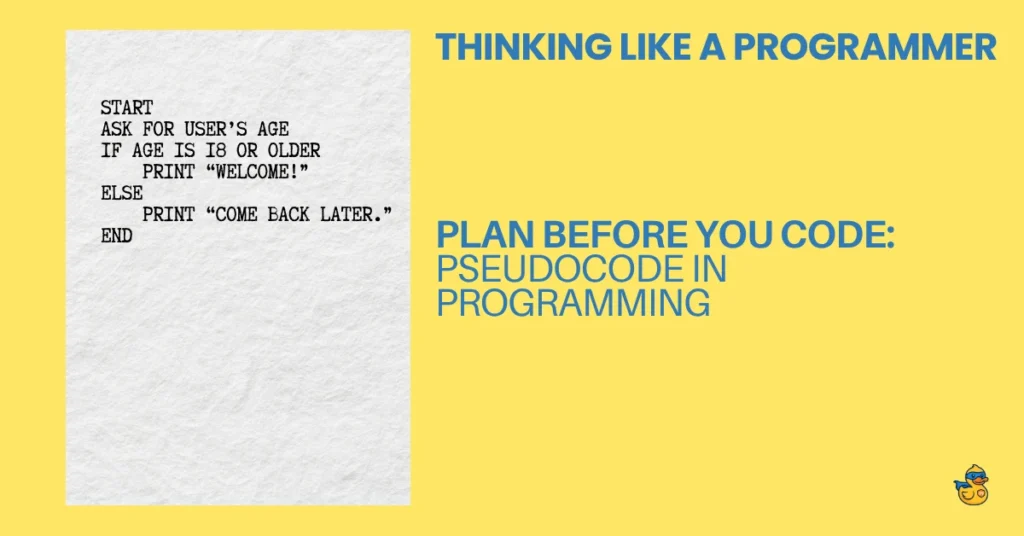
When something depends on a condition, show it visually.
					Start
Ask for user’s age
If age is 18 or older
    Print “Welcome!”
Else
    Print “Come back later.”
End
4. Focus on logic flow, not syntax rules
No parentheses, no colons, no quotation marks, just logic. Save the grammar for when you translate it into real Python.
5. Stop when the idea feels clear
Pseudocode isn’t meant to be perfect. It’s meant to make sense. Once the logic reads smoothly, you’re ready to turn it into code.
In short: if your pseudocode makes you think, “Oh, this will be easy to code,” then congratulations, you just saved yourself an hour of debugging.
New to programming and want to learn how to think like one? Read this: The Ultimate Guide to Thinking Like a Programmer [Python Edition]
Turning Pseudocode Into Real Code
Once your pseudocode feels clear, translating it into Python is like filling in the blanks, you already know the plan, now you’re just giving it structure.
Let’s take a simple example.
Pseudocode
					Ask the user for their age
If age is 18 or older
    Print “Welcome!”
Else
    Print “Come back later.”
Now let’s turn it into real Python
					age = int(input("What is your age? "))

if age >= 18:
    print("Welcome!")
else:
    print("Come back later.")
Notice how every line from your pseudocode found a home. The logic didn’t change — only the syntax did.
That’s the beauty of pseudocode: it acts like a safety net. You don’t start from a blank page; you start from a roadmap. Even if you forget exact function names or syntax details, the logic is already sorted out.
When you write code straight from your head, you’re guessing. When you write from pseudocode, you’re translating. And translation is always easier than improvisation.
It’s like building from blueprints instead of memory: your code stands straighter, runs smoother, and makes a lot more sense the next day.
Pseudocode as a Debugging Tool
Pseudocode isn’t just for planning, it’s also one of the best ways to untangle your thinking when your code refuses to behave.
When something breaks, your brain tends to panic. You stare at the error message, make random changes, and whisper bargains to your computer. But before you rewrite everything, try this: rewrite your logic as pseudocode.
Take a step back and describe, in plain language, what your program should be doing. Something like:
					Loop through all the items
If an item is even
    Add it to the total
Print the total
Now compare that to what your code actually does. You’ll almost always spot where your logic drifted. Maybe the loop condition is wrong, maybe the variable resets too soon, maybe you’re adding instead of multiplying. The difference jumps out once it’s written in words.
It works because it strips away the noise. You stop worrying about parentheses, operators, and indentation, and you focus on logic only. And once you can see the logic clearly, fixing the bug becomes surprisingly easy.
In short: if your brain feels like spaghetti, pseudocode is your fork.
Real Programmers Still Use It (Even the Fancy Ones)
Here’s a secret the pros don’t always admit: even the best programmers still reach for pseudocode. They might call it “planning,” “system design,” or “algorithm sketches,” but it’s all the same idea; thinking on paper before thinking in code.
When developers design a big project – say a game, a web app, or an AI model – they don’t just sit down and start typing. They first sketch the logic, draw the flow, or write out steps in plain English. It’s faster, cheaper, and far less painful than fixing messy code later.
Even at NASA and Google, teams use pseudocode to plan systems that control rockets and search billions of web pages. It’s not a beginner’s trick, it’s a professional habit.
Pseudocode is like the blueprint of programming. Architects wouldn’t build without one, and neither should you. It turns vague ideas into a clear structure long before a single line of Python appears.
So if you ever feel like you’re “not coding yet” when you’re writing pseudocode, remember this: the best coders in the world are doing the exact same thing, they just call it step zero.
Let's Wrap Up: When the Code Gets Fuzzy, Go Back to Words
Every coder has that moment when the screen feels louder than their thoughts. The code won’t cooperate, logic slips through your fingers, and you start questioning every life choice that led you here. That’s when pseudocode becomes your calm in the storm.
Writing in plain language slows your brain down just enough to see what’s really happening. It turns tangled logic into clear steps: no errors, no red lines, no judgment. You remember that programming isn’t just typing; it’s thinking clearly.
So the next time your mind goes blank or your code turns to spaghetti, take a breath and go back to words. Sketch the idea, step by step, until it makes sense again.
Because real programmers don’t always start with code, they start with clarity. And pseudocode is how you get there.
When in doubt, pseudocode it out.